RCS Messaging on Fizz iPhone Confirmed Working in iOS 27 Beta 5
RCS messaging finally confirmed on Fizz iPhone
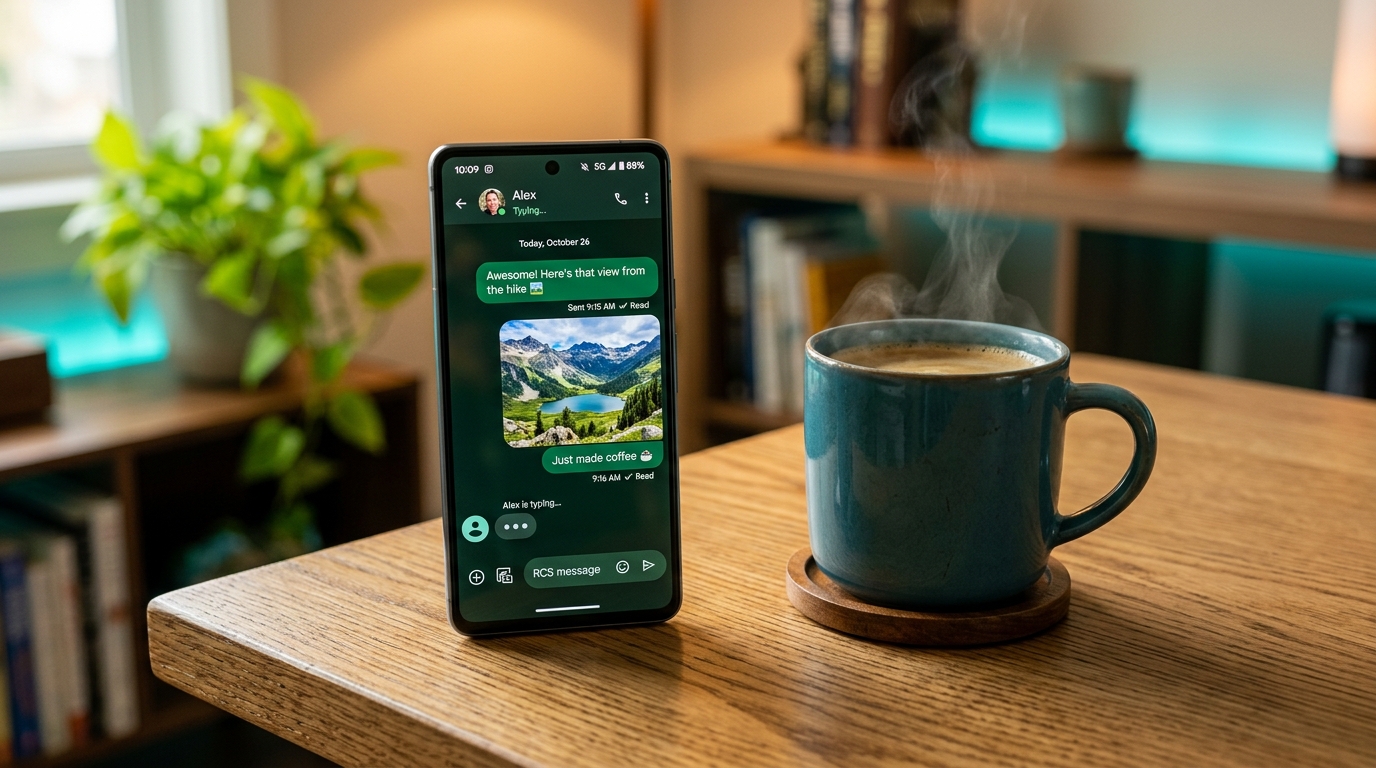
A thread on r/FizzMobile reports that RCS now works on Fizz Mobile iPhones running iOS 27 beta 5. Following the Wi-Fi Calling confirmation in the same build, members are reporting the full RCS experience on the iPhone: typing indicators, read receipts and high-resolution media in conversations with Android users.
This confirms the carrier profile keys spotted in earlier iOS 27 betas, which pointed to the Vidéotron / Fizz IMS backend being ready for RCS on iOS.
What has been confirmed in beta 5
Community members on the thread report the following working as of iOS 27 beta 5:
- check_circle RCS label appears in conversations with Android contacts (green bubble with a "Text Message • RCS" note).
- check_circle Typing indicators show in real time when the other person is writing.
- check_circle Read receipts (Delivered / Read) work between iPhone and Android.
- check_circle High-quality photos and videos send without the heavy compression of MMS.
- check_circle Bigger message length — no more 160-character SMS splitting.
These reports line up with the iOS RCS tracker findings that showed Fizz / Vidéotron RCS endpoints appearing in recent iOS 27 carrier bundles.
What RCS adds over plain SMS
| Feature | SMS / MMS | RCS |
|---|---|---|
| Message length | 160 chars (SMS), split into chunks | Full-length messages, no splitting |
| Media quality | Compressed, small MMS limit | High-resolution photos and videos |
| Read receipts | No | Yes (Delivered / Read) |
| Typing indicators | No | Yes |
| Group chats | Limited | Richer group messaging |
| Works over | Cellular only | Wi-Fi and cellular data |
How to check if RCS is active on your iPhone
If you are running iOS 27 beta 5, here is how to verify:
- 1. Open the Settings app, then tap Apps → Messages.
- 2. Tap Text Message Forwarding / RCS options — under RCS Messaging, check that the toggle is On (it is enabled by default when the carrier supports it).
- 3. Open a conversation with an Android contact — you should see "Text Message • RCS" under their name.
- 4. Send a photo and look for the Delivered / Read status and a crisp, uncompressed image.
If you still see plain "Text Message," try restarting your iPhone after the carrier profile updates, and confirm the contact uses an RCS-capable Android phone with the feature enabled in Google Messages.
What this means for Fizz subscribers
- check_circle Better Android chats: Chatting with Android friends now feels like iMessage — no more broken group chats or grainy photos.
- check_circle Works over Wi-Fi: RCS messages route over Wi-Fi and cellular data, matching the newly confirmed Wi-Fi Calling rollout.
- check_circle No extra cost: RCS uses your plan's data and messages — there is no add-on or fee.
As with any beta, features can change between builds before iOS 27 ships publicly this fall. We will keep this post updated as more members confirm their results on newer builds.
Wi-Fi Calling & RCS: both finally live on iOS
The two most requested features for Fizz iPhone users are now confirmed in the same beta: Wi-Fi Calling and RCS messaging. Combined, they bring Fizz's iOS experience in line with what Android users on the network have had for a while — and close the gap with the big-three carriers that enabled these features years ago.
Not a Fizz customer yet?
New activations can stack the current plan pricing with a referral bonus. Enter code STOJ4 at fizz.ca during sign-up to get a credit applied on your second bill.
Bottom line
RCS being confirmed working on Fizz iPhones in iOS 27 beta 5 is a major upgrade for anyone who regularly texts Android users. If you run the beta, check the RCS toggle in Settings and test a photo with an Android contact — and if you are waiting for the stable release, both RCS and Wi-Fi Calling now look set to arrive this fall.
Disclaimer: FizzPromoCodes.ca is not affiliated with Fizz or Vidéotron. Beta software may change without notice — confirm feature availability on the official Fizz community pages and your own device before relying on it.
Frequently Asked Questions
Does RCS work on Fizz iPhones in iOS 27 beta 5?+
Yes. Community members on r/FizzMobile are reporting that RCS messaging works on Fizz iPhones running iOS 27 beta 5, with typing indicators, read receipts and high-resolution media in Android-to-iPhone conversations.
How do I enable RCS on my Fizz iPhone?+
RCS is enabled by default when the carrier supports it. To check, go to Settings → Apps → Messages and confirm the RCS Messaging toggle is on, then open a conversation with an Android contact to see the 'Text Message • RCS' label.
Does RCS cost extra on Fizz?+
No. RCS messages use your plan's existing data and messaging — there is no add-on or per-message fee.
Why did RCS not work on Fizz iPhones before?+
Fizz's carrier bundle on iOS did not expose RCS configuration until the iOS 27 beta cycle, even though the Vidéotron network backend already supported RCS. The updated carrier profile in iOS 27 enables it.
Ready to save with Fizz?
Use the promo code below to get a referral credit on your first bill.